Understanding the Interface
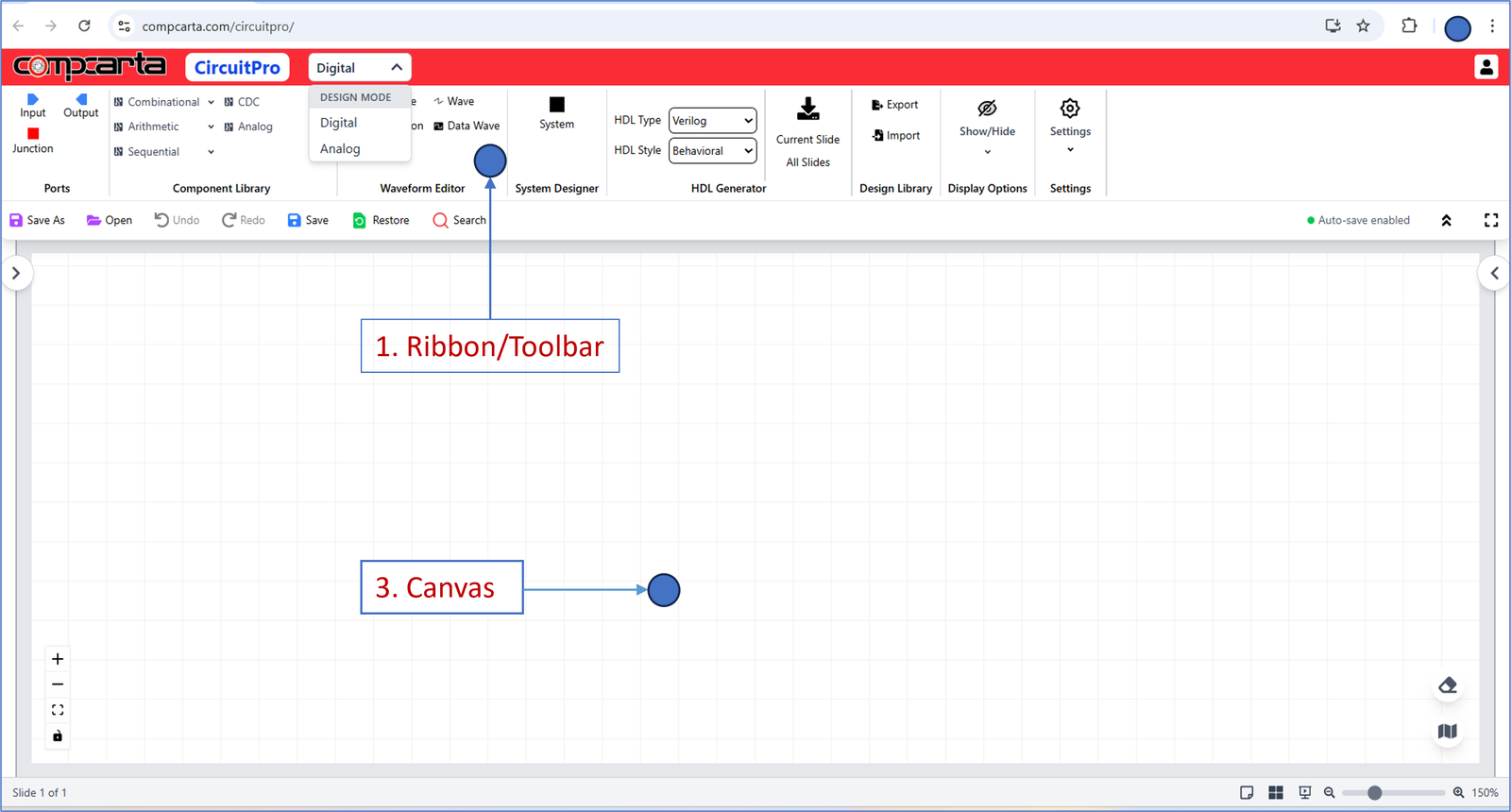
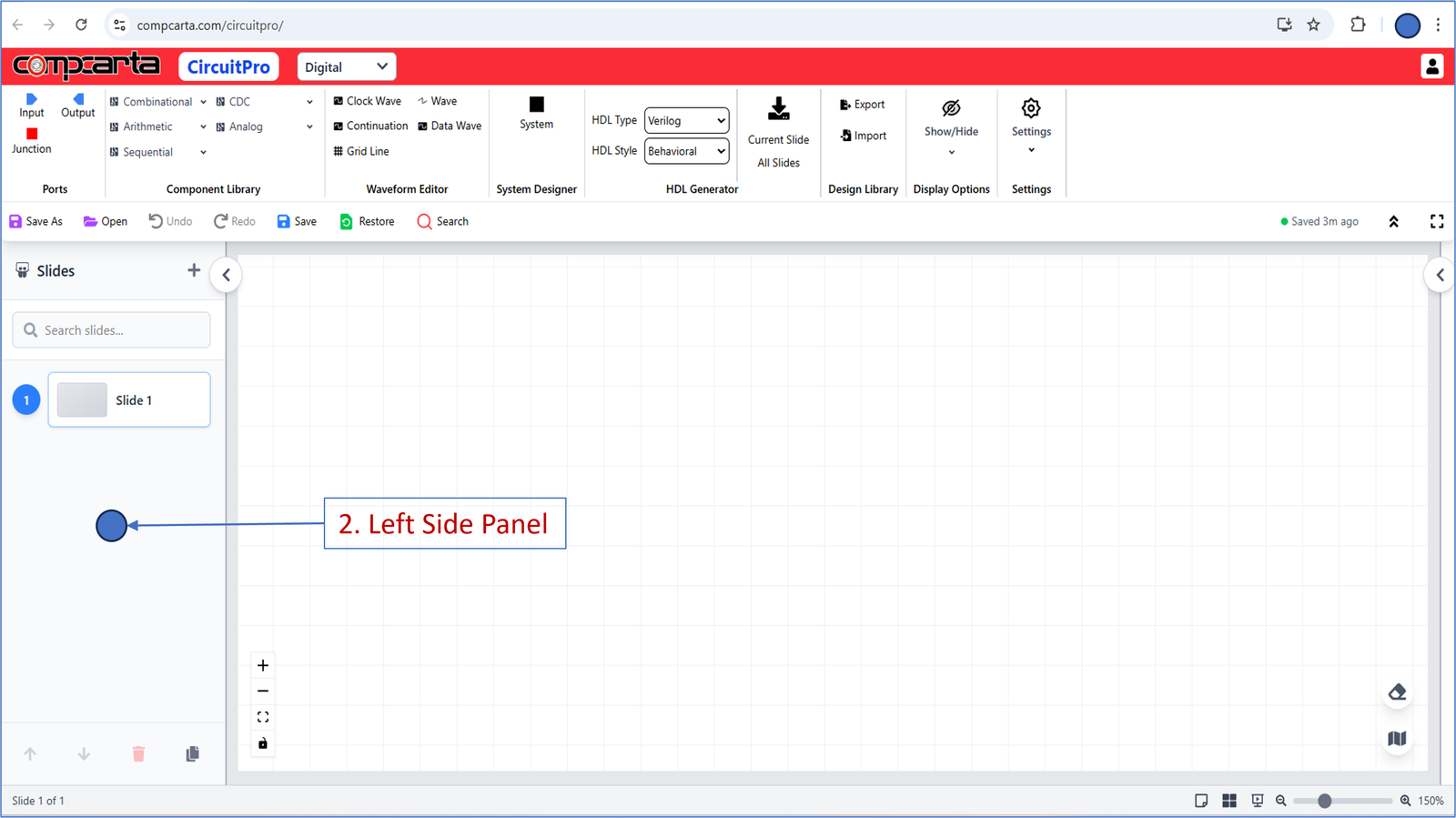
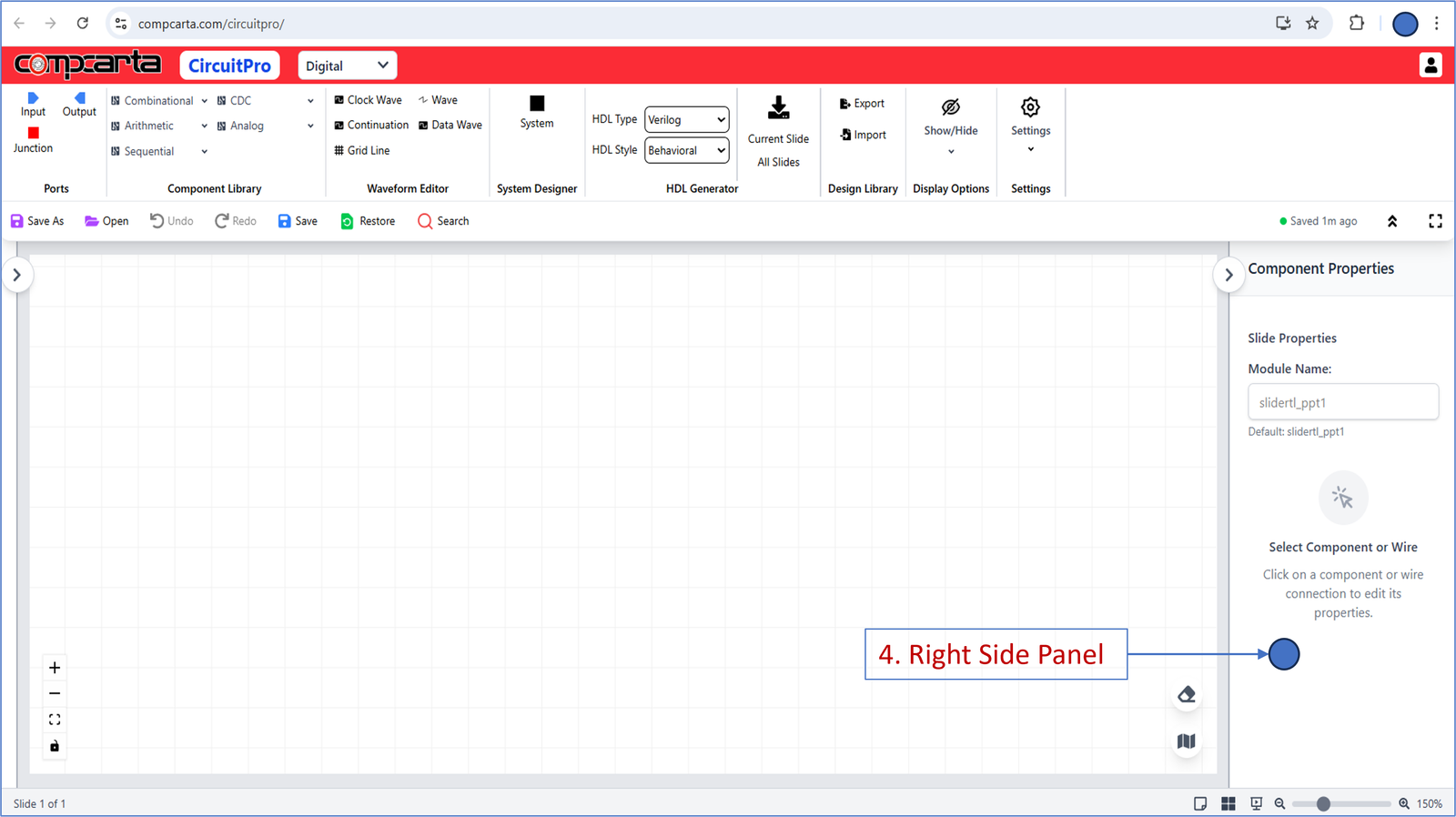
When CircuitPro loads, you will see four main areas:
| Area | Description |
|---|---|
| 1. Ribbon / Toolbar | Top bar with component library, display settings, HDL/SPICE generator and assistant tools |
| 2. Left Side Panel | Slide list for multi-page designs; navigate, add or delete slides |
| 3. Canvas | The main drawing area where you place and connect components |
| 4. Right Side Panel | Context-sensitive properties panel; shows component or wire properties when selected |